> ## Documentation Index
> Fetch the complete documentation index at: https://docs.dangoweb.com/llms.txt
> Use this file to discover all available pages before exploring further.
# Support via Tickets
> Learn how to get support via tickets.
One of the easiest ways to get support is by opening a ticket on our [Discord server](https://dangoweb.com/discord). This is the preferred method of getting support as it allows us to keep track of your issue and provide you with a solution as soon as possible. Staff will respond to your ticket within 24 hours. You can open tickets for any issue you have.
If your matter is urgent, [text or call us](/help/support/phone) (US-based, carrier fees may apply).
## Go to our Discord server
[Click here](https://dangoweb.com/discord) to visit our Discord server.
 ## Go to the Tickets channel
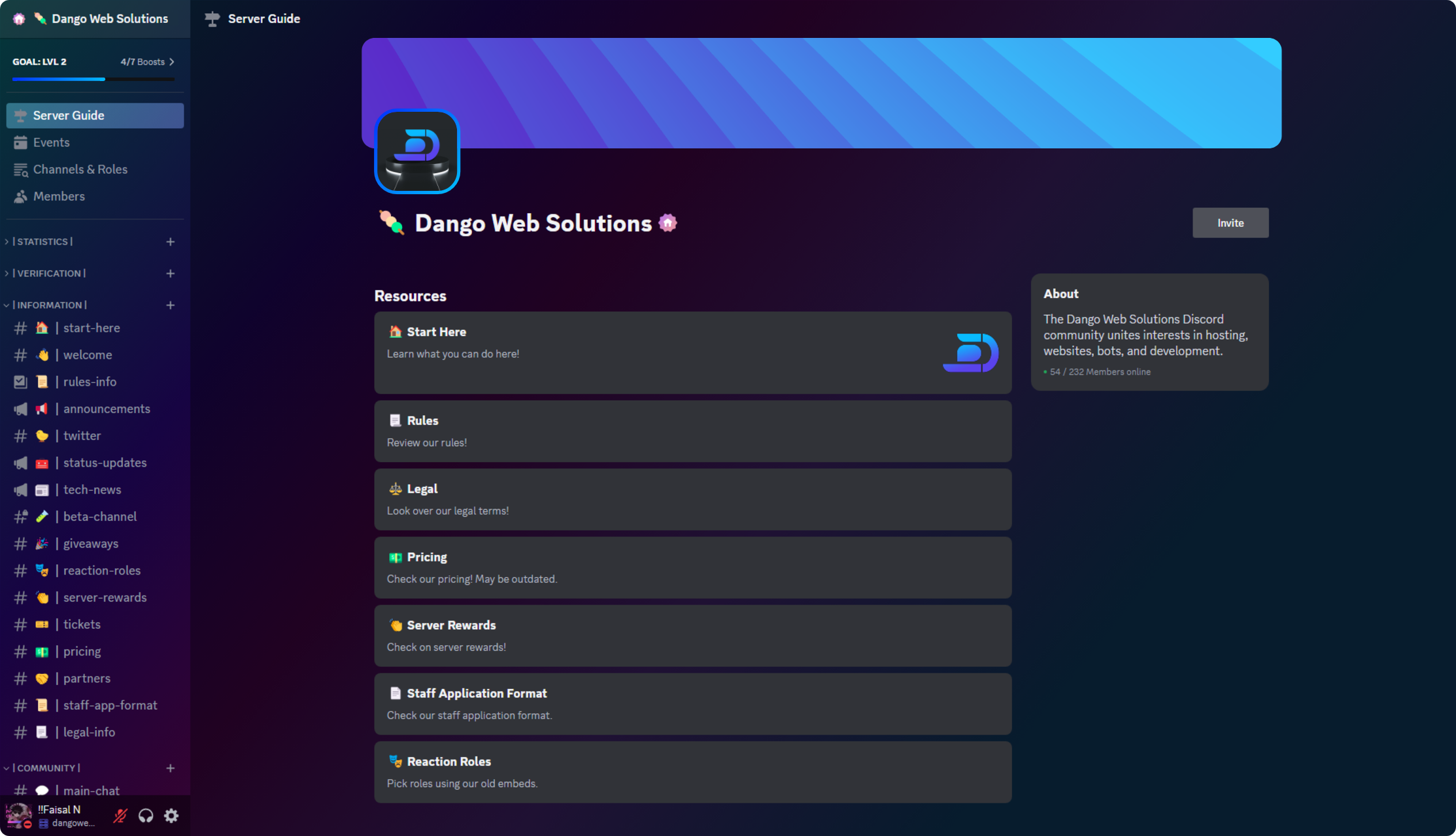
Select the tickets channel from the channel list.
## Go to the Tickets channel
Select the tickets channel from the channel list.
 ## Open a ticket
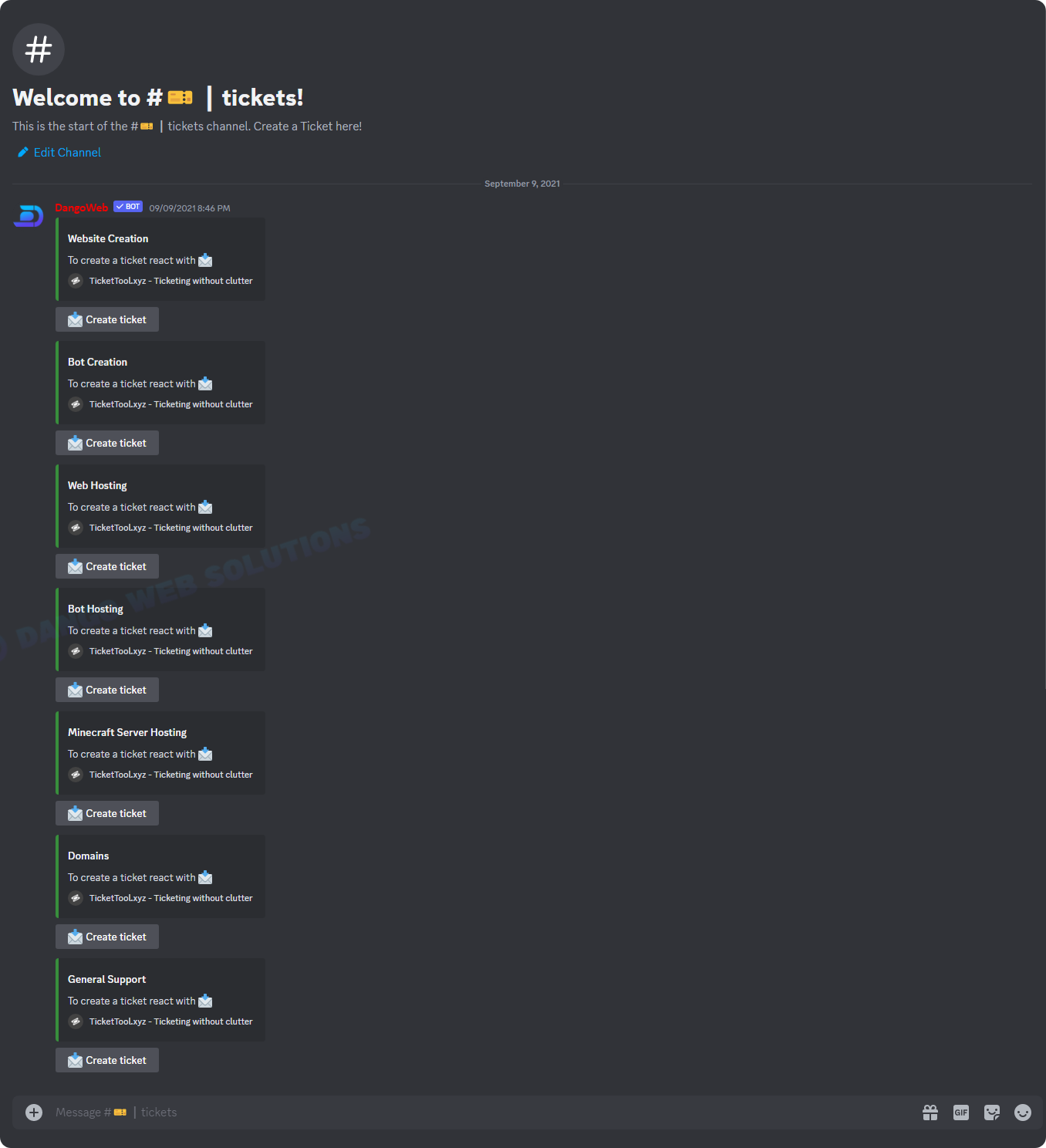
Click the button for the ticket you would like to open.
## Open a ticket
Click the button for the ticket you would like to open.